
Común: Your money, your way
ComunFinance
4.82.75K Reviews
- Version
- 2.29.0
- Installs
- 500.00K
- Age Rating
- Everyone
Screenshots
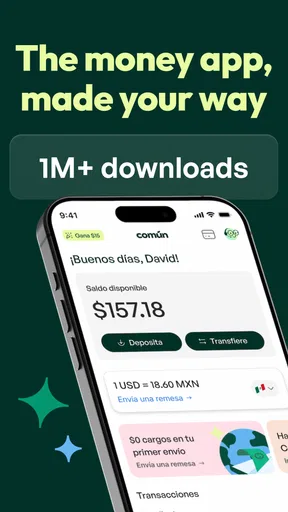
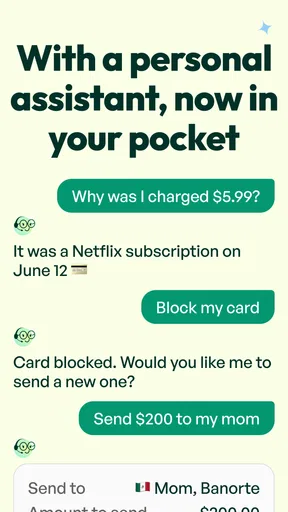
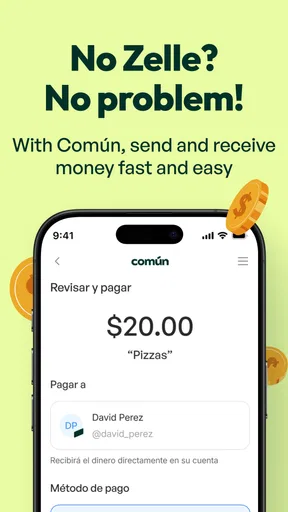
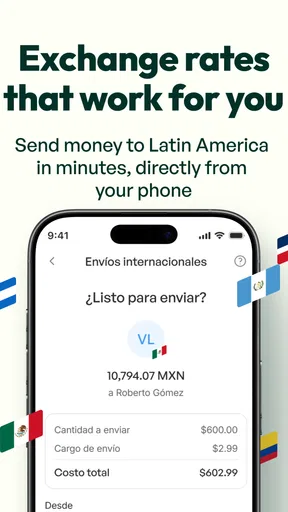
Our Review of Común: Your money, your way
 Analysis by Appyee
I approached Común as a practical money app rather than just another digital wallet. Its focus is straightforward: paying people, sending money to Latin America, and using a Visa debit card from the same financial service. That combination makes it especially interesting for people whose daily finances cross borders, or for anyone who wants a simpler alternative to juggling a traditional bank account, a transfer service, and a separate card.
After spending time with the app, my impression is that its strongest quality is concentration. The experience is built around moving and using money, not around filling the screen with unrelated financial products. That makes it easier to understand than many banking apps, although the same focused approach means it may not satisfy someone looking for a complete replacement for a full-service bank.
Común is free to download and is suitable for Everyone, which lowers the barrier for trying it. It belongs to the Finance category and is developed by Comun. The app has built a strong public reception, with an average rating of 4.8 from around 22 thousand ratings, while its reach has passed 500 thousand installs. Those figures do not replace personal testing, but they do suggest that the basic idea is resonating with a meaningful group of users.
How Común fits into everyday money management
The most useful way to think about Común is as a bridge between ordinary spending and international money movement. If I need to pay someone, send funds to Latin America, or use a card for purchases, I can approach those tasks through one app instead of switching between several services. That matters in real life because financial errands are often small and urgent: splitting a meal, helping a relative, paying a freelancer, or making a purchase while traveling.
A realistic example would be a person living in the United States who regularly sends money to family in Latin America. With a conventional setup, that person might keep a bank account for local spending, use a specialist remittance service for transfers, and carry a separate debit card. Común’s appeal is that it brings those needs closer together. The benefit is not necessarily that every individual transaction will be better than a specialist alternative; it is that the overall routine can become less fragmented.
I also found the “pay anyone” positioning useful for smaller social payments. A dedicated money app can feel more natural than asking someone for bank details every time a shared expense comes up. The important distinction is that convenience depends on the people involved. If friends or relatives do not use the same service, I would still compare the available sending options before assuming the app is the quickest route.
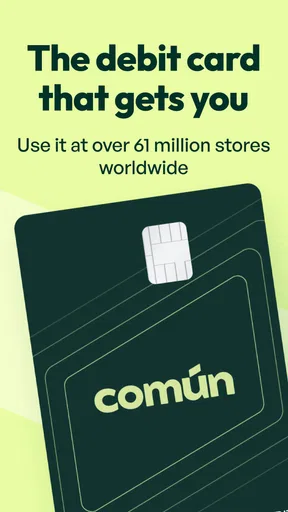
The Visa debit card adds another layer. It gives the service a physical-world purpose beyond transfers, because money held or managed through the app can be connected to everyday purchases. For someone who prefers to separate spending from a primary bank account, that can be a sensible arrangement. I would still treat it as a spending tool first, not automatically as a complete substitute for every account a person may need.
The current experience is focused rather than overloaded
Many finance apps try to become dashboards for everything: investments, credit, savings goals, insurance, rewards, budgeting, and banking. Común feels more focused on the actions its audience is likely to perform most often. I see that as a strength for people who want a clear path to sending or spending money, especially if complicated menus are a source of frustration.
The trade-off is that a focused app may leave users looking elsewhere for deeper account management. Someone who wants sophisticated budgeting, detailed financial planning, or a broad set of banking products may prefer a traditional bank app or a more established personal-finance platform. Común makes more sense when the central problem is access and movement of money, particularly across the United States and Latin America.
One practical habit I recommend is deciding what role the app will play before moving a large amount into it. If the goal is occasional transfers, start by learning the sending flow and checking the recipient details carefully. If the goal is everyday card spending, use it first for a manageable part of a weekly budget. That approach makes it easier to judge whether the service fits without reorganizing an entire financial life on day one.
What the current version tells me about its direction
The current version is 2.29.0, which shows that the app is well beyond an initial launch build. Común was released on August 30, 2022, so its present form reflects an evolving product rather than a brand-new experiment. I would not read a version number alone as proof that every rough edge has disappeared, but it does make me expect a more mature experience than the first release offered.
That evolution is important because finance apps are judged by small details. A transfer service can have a compelling idea and still lose trust if navigation is unclear, confirmations are easy to miss, or an error requires too much effort to resolve. A later version suggests ongoing maintenance and refinement, but my advice remains the same: keep notifications enabled where appropriate, review each recipient before sending, and retain your own record of important transactions.
The product direction also seems clear from the combination of features it emphasizes. Común is not presenting itself merely as a card, and it is not only a remittance tool. It is trying to connect person-to-person payments, international transfers, and card use in one place. For existing users, that kind of expansion can be valuable because it reduces the need to maintain separate routines. It can also create more expectations: once an app becomes central to daily money movement, reliability and transparency matter even more than visual polish.
How the evolution affects people already using it
For an existing user, the main advantage of continued development is less switching. If the app increasingly handles the payments and transfers that already matter to you, you can keep one familiar workflow instead of learning a new service for each task. That is particularly helpful for households supporting relatives abroad, where repeated transfers can become an administrative chore.
There is also a subtle organizational benefit. Keeping card spending and transfer activity within one financial environment may make it easier to remember where money was sent and which balance is available for purchases. I would not confuse that with a full budgeting system, but reducing the number of places to check can still make everyday decisions less tiring.
At the same time, consolidation creates a dependency. If you use Común for several purposes, an interruption or account issue could affect more than one part of your routine. I therefore would not close every alternative account immediately. Keeping a backup payment method and knowing how to access transaction records is a sensible precaution for anyone relying heavily on a digital finance service.
Another point is recipient behavior. A sending app can be excellent for the person initiating a payment but less convenient if the recipient has different needs, prefers cash, or uses another financial service. Before making Común the default method for family support or shared expenses, I would confirm that the people receiving the money can use the result comfortably. The best workflow is the one that works on both sides, not just the one with the nicest sender interface.
Where it compares well with usual alternatives
Compared with a traditional bank app, Común appears more purpose-built for direct payments and Latin America transfers. A bank may offer broader account services, but those services can make a simple international task feel buried among unrelated options. If my priority is sending money or using a connected Visa debit card, Común’s narrower focus is appealing.
Compared with a specialist remittance service, the advantage is convenience when I also want a card and person-to-person payments. A remittance specialist may be the better choice for a one-off transfer if it offers a clearer route for the recipient or a more favorable total cost for that particular transaction. I would compare the final amount received, not just the headline exchange rate, because fees and conversion details can change the practical value of any transfer.
Compared with a peer-to-peer payment app, Común’s international purpose gives it a different identity. A general payment app may be familiar to more people in a local social circle, while Común is more compelling when cross-border support is part of the regular routine. The right choice depends on where the money needs to go and what the recipient can actually use.
The Visa debit card also changes the comparison. A transfer-only service cannot replace a card for groceries, subscriptions, or ordinary purchases. On the other hand, someone who already has a debit card they like may gain little from adding another one unless the international and payment features solve a specific problem. I would avoid collecting financial apps simply because each offers one attractive feature.
Small workflows that make the app more useful
My first practical tip is to separate “sending money” from “spending money” mentally, even when both happen inside Común. Before transferring funds, confirm the recipient and purpose; before using the Visa card, decide whether the purchase belongs to your regular spending budget. This simple separation reduces the chance of treating an available balance as money that is free for every purpose.
My second tip is to use a repeatable checklist for international transfers. I would verify the recipient’s identity details, review the amount, check the destination, and save the confirmation after sending. That may sound cautious, but international mistakes are more stressful than ordinary local payment errors. A few seconds of review is worthwhile when the money is intended for someone in another country.
A third useful insight is to evaluate the complete journey rather than the sender’s screen. Ask how the recipient receives the funds, how quickly they can use them, and whether the method fits their normal habits. A smooth app experience on your phone does not automatically mean a smooth experience for a relative who has different access, preferences, or financial routines.
For card users, I would also create a personal rule for where the card fits. It could be reserved for recurring purchases, travel spending, or a controlled weekly allowance. This makes the card easier to monitor and gives the app a clear job. Without that boundary, adding another debit card can make money management more confusing instead of simpler.
Gaps and situations where I would choose something else
Común is not the right choice for everyone. If you need a full-service banking relationship, advanced budgeting tools, lending products, or a broad investment platform, I would look at a traditional bank or a dedicated financial-management app first. The fact that Común combines several useful functions does not mean it covers every financial need.
I would also hesitate to make it my only option if my income, bills, and emergency funds already depend on one established account. A newer digital service can be useful without being the place for every dollar. Using it selectively lets you benefit from its international and payment strengths while keeping essential financial access diversified.
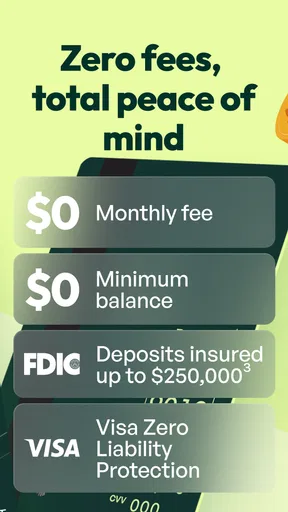
Cost is another area where I would stay attentive. “Free” refers to the app’s price, but the real cost of a financial action can involve transfer terms, exchange rates, card-related conditions, or other transaction details. I would read the amount that will arrive and the amount that will leave before confirming, rather than assuming that a free download means every use is cost-free.
There is also a learning curve whenever one app handles several money tasks. New users should not rush through setup simply because the interface looks familiar. Take time to understand which balance is available for card purchases, how a payment is confirmed, and what information is shown after a transfer. That knowledge is more valuable than speed during the first few uses.
What I would watch as Común continues to develop
The app’s future value will depend on how well it maintains trust while expanding its role. As more people use one service for payments, international transfers, and card spending, they will expect clear status updates, dependable records, and straightforward explanations when a transaction needs attention. Those are not flashy additions, but they determine whether a finance app becomes part of a routine or gets abandoned after one confusing experience.
I would also watch how effectively Común balances simplicity with control. A clean interface is helpful, but experienced users eventually need enough detail to understand what happened to their money. The strongest version of this product would keep common actions easy while still giving careful users the information needed to review transfers and spending responsibly.
For current users, the sensible approach is to install updates, review changes before relying on a new workflow, and continue keeping personal records for important transfers. For potential users, I would begin with one clear use case: a small payment, a manageable transfer, or limited card spending. That trial will tell you more than a feature list about whether the app matches your habits.
My overall view is positive, with a specific reservation: Común is most convincing when your financial life includes payments and connections to Latin America. The app’s free access, Visa debit card, and focused money-moving experience give it a practical identity, while its later-stage version suggests an actively maintained product. I would recommend it to someone who wants fewer separate tools and understands the importance of checking transfer details.
I would not recommend replacing every existing financial service with it immediately, especially if you need broad banking features or depend on a backup-free setup. But for the right user, the real strength is having one focused place for sending, paying, and spending across borders. That is a concrete problem to solve, and Común addresses it more directly than a general-purpose banking app.
In the end, Común feels less like a universal bank and more like a specialized everyday companion for connected finances. If that matches the way you send money, support family, or manage card purchases, it is worth trying. If your needs are mostly local banking, complex planning, or advanced financial products, a different app will probably serve you better.
Verdict
Strengths of Común: Your money, your way
- Simple interface makes everyday money management approachable.
- Useful spending overview helps users understand where their money goes.
- Convenient access to financial tools from a mobile device.
- Personalized features can make the experience feel more relevant.
- Clear transaction information supports better financial awareness.
Limitations of Común: Your money, your way
- Some features may require identity verification before they become available.
- App usefulness can depend on supported banks, cards, or local services.
- Financial data may raise privacy concerns for cautious users.
- Occasional updates or maintenance could temporarily limit access.
- Beginners may still need time to understand all available money tools.
Similar Picks in This Category
View All
Google Wallet
Google LLC4.3

Airtel: Recharge, Bank & Loans
Airtel4.0

PayPal - Pay, Send, Save
PayPal Mobile4.2

DANA Indonesia Digital Wallet
PT Espay Debit Indonesia Koe4.5

Binance: Buy Bitcoin & Crypto
Binance Inc.4.8

Cash App
Block, Inc.4.7
Frequently Asked Questions
What is Común: Your money, your way?
Común: Your money, your way is a personal finance app designed to help users manage everyday money in one place. It can provide tools for viewing balances, organizing spending, tracking transactions, and handling financial goals, depending on the services available in your region. Before downloading, check the official app listing to confirm supported countries, account requirements, and the exact features offered to you.
Is Común: Your money, your way safe to use?
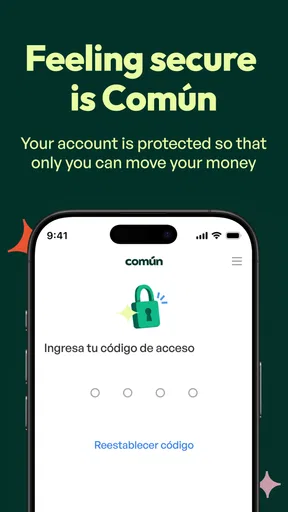
The app is intended to handle sensitive financial information, so security should be a major consideration before creating an account. Review its privacy policy, permissions, authentication options, and data-sharing practices carefully. Use a strong, unique password, enable any available biometric or multi-factor protection, and only install the application from an official store. Never share verification codes or login details with anyone.
Do I need an account or identification to use Común?
Most financial applications require users to register with personal information, verify an email address or phone number, and sometimes complete identity checks before accessing money-related features. Común may also request documents or additional details depending on the account type and local regulations. Read the onboarding requirements before downloading, particularly if you prefer to explore an app without immediately submitting personal information.
Are there fees, limits, or subscription charges in Común?
Potential costs can depend on the feature you use, your location, and the type of account you open. Check the current fee schedule for transfers, card services, withdrawals, currency conversion, premium tools, or other financial operations. Also review transaction limits and possible third-party charges. The app-store description may not show every cost, so consult Común’s official terms before committing funds.
Can I use Común on both Android and iPhone?
Availability may vary by operating system, country, and device compatibility. Before installing, confirm that your Android or iPhone meets the required software version and that Común officially supports your region. You should also verify whether the same account, features, and transaction options are available across platforms. Download only from Google Play or the Apple App Store to avoid unofficial or modified versions.
